Win back the customers you did good work for.
It reviews the past customers you choose, checks the relationship and your contact rule, looks up what the business is doing now, and writes one get-back-in-touch draft each. It has no way to send them.
Start free — 2 employees and starter capacity included.
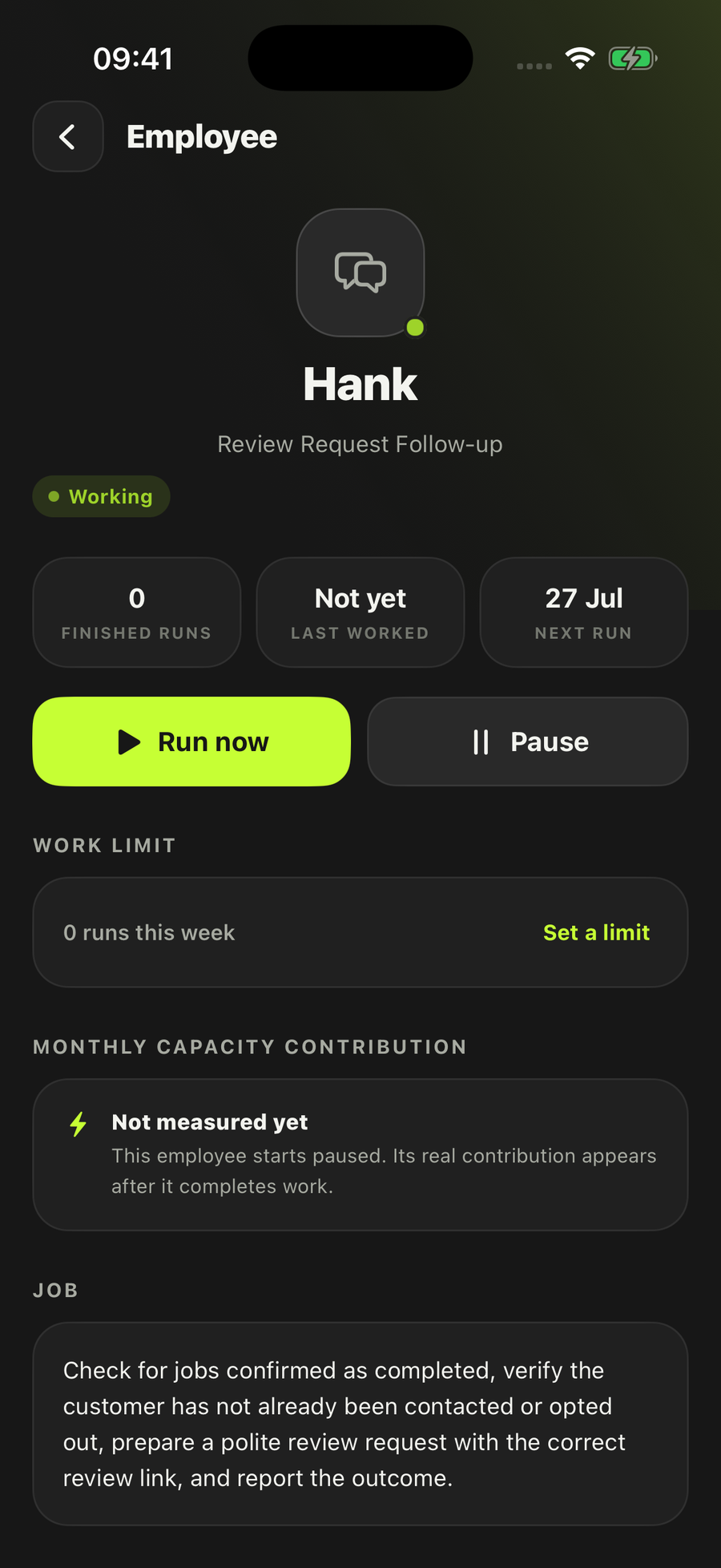
- Drafts only — sending is not one of its actions
- Starts paused until you turn it on
- Stops on an opt-out or an unclear rule
Nothing has to be connected. You choose the records.
Each customer sits beside the reason it was included and the draft that came out — or the reason it was left out.
It drafts. That is the whole job. It does not send, it does not touch your customer records, and it does not decide on your behalf whether you are allowed to get in touch.
How Customer Reconnection Drafter actually works
Everyone has the list. The letting agent you rewired four flats for in 2024. The pub whose kitchen you refitted before it changed hands. The care home that used you every time until the maintenance manager left. None of them fell out with you. They just stopped appearing, and there has never been an afternoon free enough to work out which ones are worth a message and what that message would say.
That is the job, and it is a research job before it is a writing one. Six steps, in this order, every run.
- Claim the customers and the windowOnly the exact past-customer records and the review window you picked at setup. It claims each one by its record id and the window start, so the same customer is never worked twice in the same window.
- Check the relationship and the rules firstBefore any research and before any writing: is the past relationship actually verified, is the evidence recent enough by your own standard, what does your saved contact rule say, and what is the opt-out state. Anything unclear stops here.
- Look up what the business is doing nowIt researches only that one business, and keeps the entity, the URL and the date the evidence was seen. If it cannot match the business exactly to the page it found, it stops rather than reconnecting on the strength of a similar name.
- Check it all again before a word is writtenContact rules, opt-outs, freshness and conflicting facts are rechecked at this point, not assumed from step two. A record that has gone stale between the two checks does not get a draft.
- Write one draft per customer that passesTailored to that business, in the tone you chose, built from the verified relationship, the public facts it cited and the offer notes you gave it. Your private notes on a customer stay in your records and out of the message.
- Save one dated packA single Result, laid out as a table: the review window, each customer, the last work, the last contact, whether it was eligible, why it was included or excluded, the evidence, and the draft itself. Open it, copy a draft, export the lot, or run the same job again.
The order is the point. A reconnection message that gets a fact wrong about a business you claim to know is worse than no message at all, and a reconnection message to someone who asked not to be contacted is worse again. Both are caught before the writing starts.
What it will not do
- Send an email or a message, post anything, book anything, or create a payment link
- Create or change a customer record — it reads yours and writes its pack alongside
- Choose a legal basis, decide consent for you, or override an opt-out
- Work cold prospects, bought lists, or open leads that never became customers
- Infer someone's private circumstances or intentions from what it read
- Draft on stale or conflicting evidence — it hands you the specific problem instead
How much an employee does on its own is yours to choose, per employee, when you hire it: keep everything as drafts, be asked every time, let it work on its own inside the limits you set, or let it work and report back. This one arrives on draft only, and here that setting matters less than usual — its list of allowed actions is empty and sending sits on its denied list, so there is no mode in which it contacts a customer. Every employee lands paused. Read the wider position on safety and approvals.
What you set up
Four questions, asked once. Which past customers, and over what activity window — this is a deliberate choice of records, not a sweep of your whole database. Which contact rule it should check, in your words: the permission or policy you actually rely on for getting back in touch. How recent the evidence has to be — within six months, within twelve, or a date you enter yourself. And the tone: warm and concise, professional and concise, or friendly and direct.
Then you point it at the records. The route that needs nothing connected is a bounded export or a spreadsheet of past customers and their activity, plus the offer and relationship notes you want the drafts built from — up to two sources on each side. Public research is the third input and needs no account at all; if search is not available it uses the exact business URLs you supplied at setup.
It runs when you press the button, or weekly, or monthly. It arrives paused and with a default cap of six runs a month, and it is not allowed to spend money on anything. You can run it as a safe test first, in which case the output lands in the test area rather than in your Results. It notifies you when a pack is ready or when a contact-rule decision genuinely needs you, and stays quiet for duplicates, exclusions, no-action runs and safe tests.
Who it's for
The commercial half of a trade's customer book, which is the half that goes quiet without anyone noticing. An electrician who does the periodic inspections for two letting agents and a small landlord portfolio. A plumber on the pubs and restaurants circuit. A joiner or shopfitter whose work arrives in bursts from the same handful of businesses. Commercial cleaners, signmakers, scaffolders and groundworkers who work for main contractors, and the maintenance side of anyone with a school, a care home or a gym on the books.
It fits the same shape outside the trades: IT support firms, small agencies, and any B2B service where a good customer simply stopped having a project rather than going anywhere else. What all of them share is that the value of the relationship is obvious in hindsight and invisible on a Tuesday.
Be clear about the boundary, because it is the thing people get wrong. This employee works past business customers, and its research step looks up that exact business. A one-off householder is not what it is built around, and a householder with a date coming round is a different job entirely: a boiler service due, an EICR falling due again, an MOT next month. That is Renewal Reminder, which tracks confirmed dates, warns you before they lapse and prepares the reminder. The distinction is simple — renewals are dated, reconnection is not. If a date is doing the work, hire the renewals one. If nothing is prompting you except a name you have not seen in eighteen months, this is the one. There is more on the dated version of this problem in our piece on MOT reminders and repeat work.
Two other neighbours worth naming. An enquiry that never became a customer is not reconnection, it is Lead Follow-up. A quote you sent that went quiet is Quote Follow-up. Separate hires, separate permissions, separate records — the full roster has the rest.
Questions people ask
Does it send the emails?
No. Sending an email or a message is on its denied list, and its list of allowed actions is empty, so there is no setting in which it contacts anyone. It reads, it checks, and it saves a dated pack of drafts. You read each draft, change what you want and send it yourself.
How does it know I’m allowed to contact them?
It doesn’t decide that, and it isn’t built to. When you hire it you tell it which contact rule or permission it should check. It then checks each selected record against that rule and against the opt-out state in your own records, and leaves out anything that doesn’t pass, with the reason written down. Choosing a legal basis, deciding consent and overriding an opt-out are all excluded from the job. If the contact evidence is unclear it stops and asks you rather than drafting anyway. It is not legal advice on UK marketing rules and doesn’t present itself as any.
Is this for householders or business customers?
Business customers. The records it works are past business customers, and the research step looks up that exact business, so it suits the commercial half of a trade’s book: landlords and letting agents, facilities managers, pubs and shops you fitted out, care homes, schools, main contractors. A householder with a date coming round is a different job — that’s Renewal Reminder, because the date does the work.
What does it actually read?
Three things you choose. The past-customer and activity records — a bounded export, a spreadsheet, or customer information you already keep in LoopSuite. Your offer and relationship notes, so the draft has something real to offer. And public pages for that exact business, kept with the source and the date it was seen. The customer and accounts apps named on the employee are places those records can come from, but this job hasn’t had a signed-in run proven through one of them, so we describe it as a route rather than a finished journey. Where each app stands is on the integrations pages.
What if the information is old, or contradicts itself?
It stops. Five things stop it before a draft is written: the past relationship isn’t verified, the contact rules or opt-out evidence are unclear, the activity is stale or conflicting, the business can’t be matched exactly to the public page, or a source can’t be read on that run. You set how recent the evidence has to be at setup — within six months, within twelve, or a date you enter yourself.
Will the same customer get two drafts?
No. It claims each piece of work by the customer record id plus the start of the review window, so every selected customer in that window ends with one draft, one recorded exclusion, or one precise blocker — never a duplicate. Run it again next month and the window moves with it.
Wondering which enquiries to ring back first rather than which old customers to revisit? That’s New Lead Checker. The whole shelf is on the employees page.
The list is already in your records. This is the afternoon you never get.
Hire Customer Reconnection DrafterStart free — 2 employees and starter capacity included.
Also on iOS and Android.
Every employee starts switched off, and you choose which accounts it can use.